An informational feature empowering learners with affordable and easy-to-understand steps for completing the GED & High School Completion Pathway.
Role — Sole Product Designer
Time — Summer 2024
Background
TecoGuide is a mobile and web app providing pathways to affordable higher education for all types of learners. At the beginning, TecoGuide focused on providing California learners with the California Community College Pathway feature. Well-suited for high school students, this pathway provides a plethora of resources for applying to college and achieving that goal affordably.
However, the first step in achieving and affording higher education is meeting the requirements to apply to college programs and jobs. Most of these opportunities present a high school diploma as a minimum requirement. As a platform catering to learners of all backgrounds, our team shifted our perspective to nontraditional students who need this requirement met.
The Problem
A Gap In the Market
In California, the most common way of achieving a diploma after dropping out of high school is by taking and passing a GED exam. This process requires knowledge, preparation, and payment for registration.
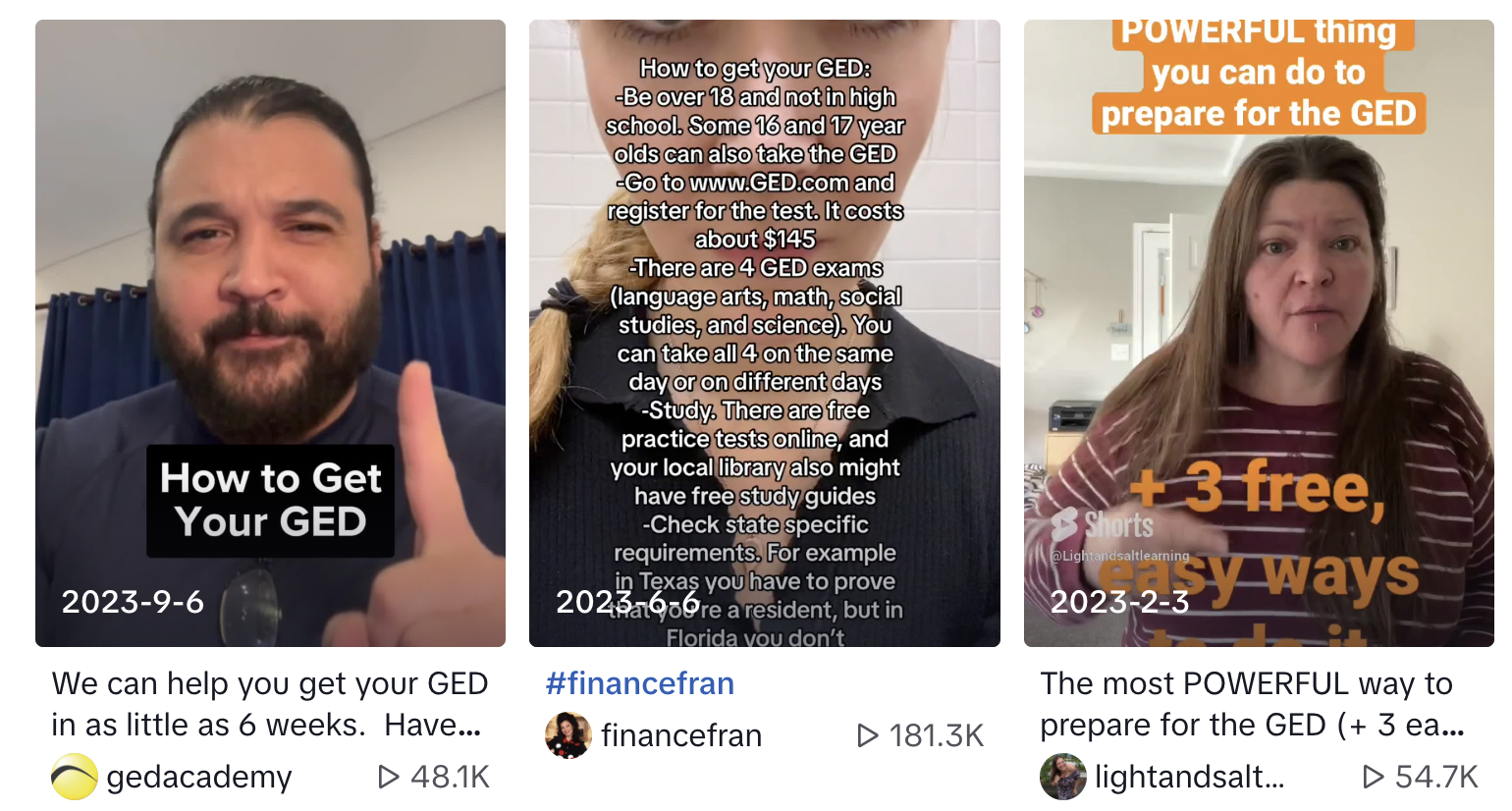
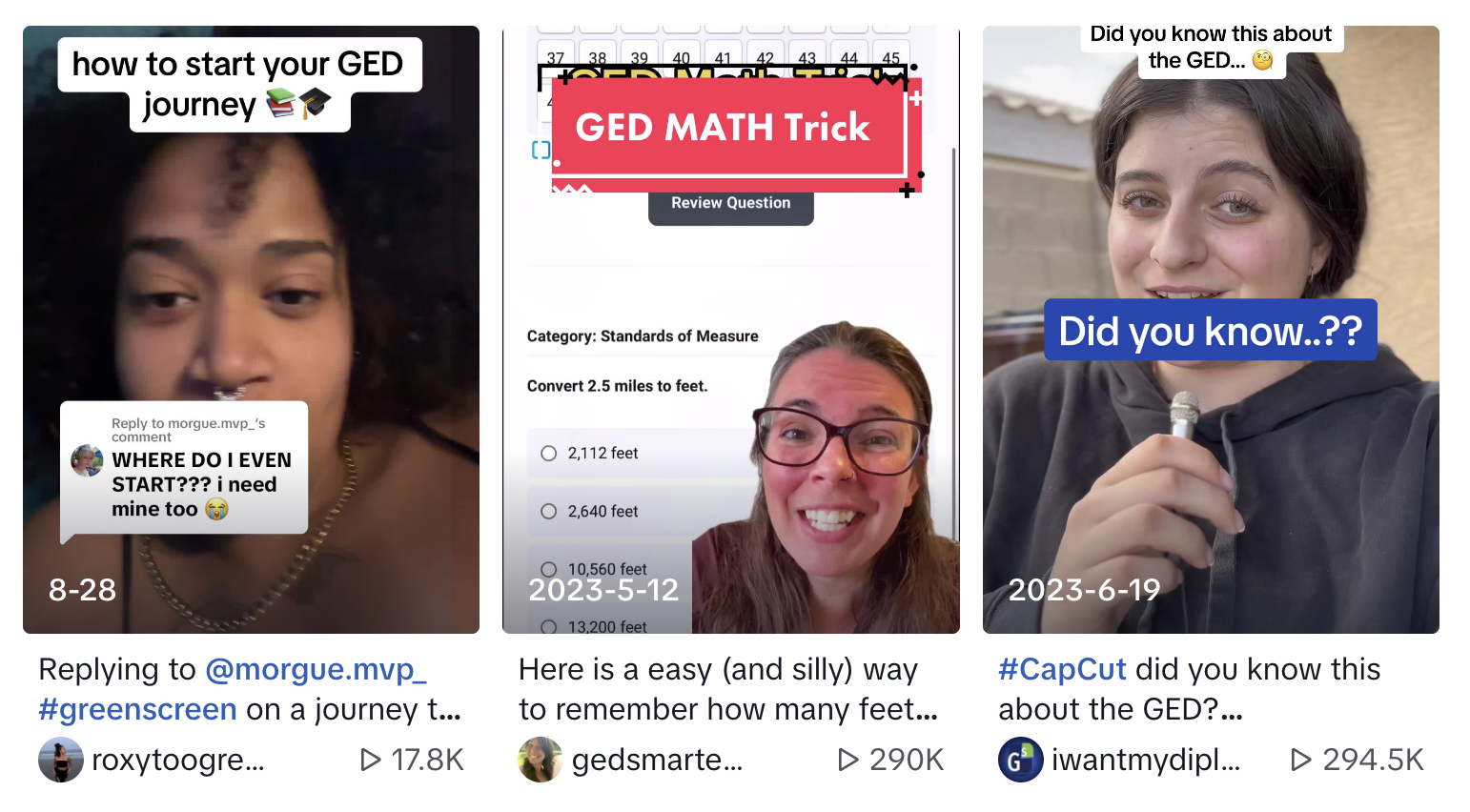
However, many prospective students have unanswered questions about how to get their GED quickly and affordably: r/GED has over 17k members and many TikTok videos about obtaining a GED have over 200k views with plenty of comments asking follow-up questions about timelines, affordability, and test prep.
Clearly, there is a gap in the market for GED completion resources.
Where was TecoGuide?
The product team had begun solving the problem for users with goals of getting into community college, but we were moving quickly without first fulfilling the need that a large group of users (i.e. first-generation, low-income, nontraditional students) may have – a high school diploma.
In researching our our Californian user base, I realized a more jarring statistic:
“In California, 19 percent of adults over 25 do not have a high school degree, compared to 14 percent for the United States.”
California Office of Environmental Health Hazard Assessment
Oct 2021
With all of this in mind, TecoGuide was clearly missing a crucial step in the higher education process. We needed to fill the gap.
Who Are Our Users?
Through research and many conversations with CTO and liaison to the community, Mauricio Gonzalez, I learned that our users who want a GED include first-generation students, immigrants, people from low-income backgrounds, and people affected by incarceration.
Needs: mentorship, ease in navigating online tools, knowledge about the higher education progress, test preparation
Struggles: weary of returning to education, low self-esteem, low income
In order to easily and affordably achieve high school completion for college and career readiness, TecoGuide users need a clear pathway of steps and resources to prepare for and take the GED.
The Solution: the GED & High School Completion Pathway
Identifying Objectives
How can we achieve team and company goals, benefit the business, and ultimately benefit the user?
Helpful Features
- One centralized location for GED & High School completion resources
- A step-by-step plan to achieve a GED
- Direction to other TecoGuide content and resources for more higher education information
Partner Integration: EdReady
- Free resources for GED test prep through seamless collaboration with the EdReady platform.
- Progress data shown throughout their EdReady Math and English courses
Motivate Users
- Encouraging and inspiring messaging
- Easy to navigate and understand, as to not confuse students who may be weary of going back to school
By aiming to meet these objectives, TecoGuide can provide an interface that is considerate of the user and their time. This is essential to their success and making higher education more accessible.
User Flows
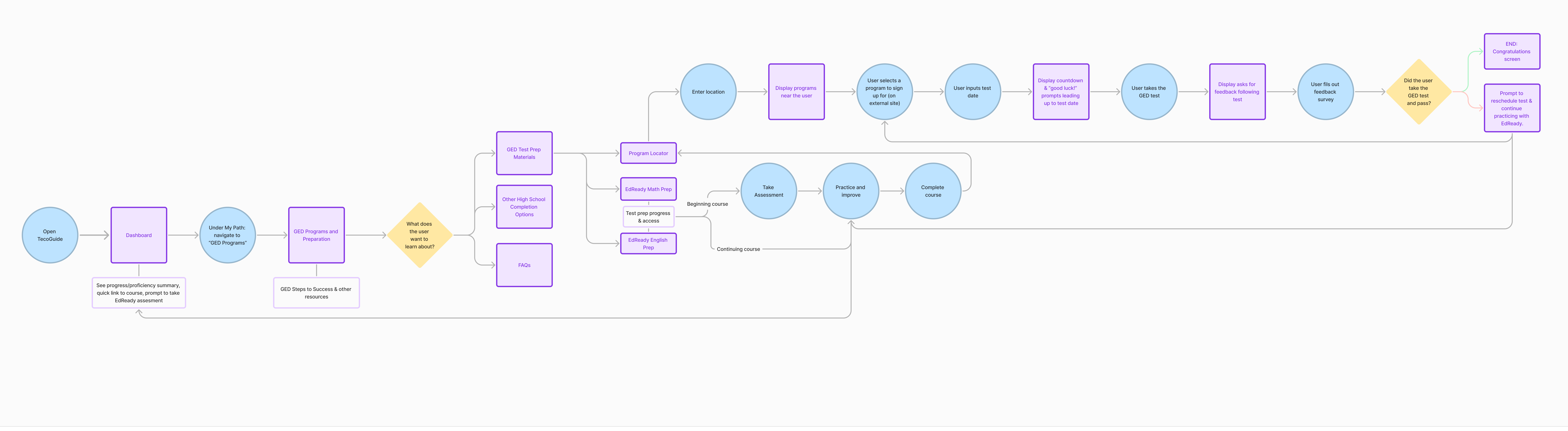
Based on these objectives and information from our partner, EdReady, about their platform, I created a FigJam user flow diagram to visualize the optimal user experience:

From Lo-fi to Hi-fi
Prototyping
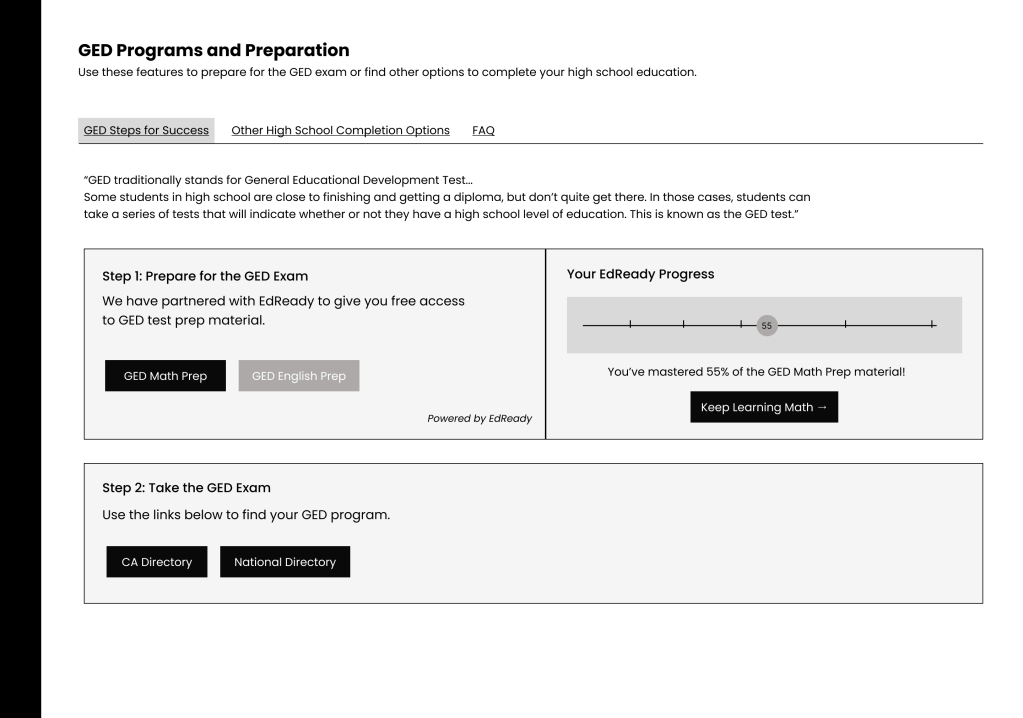
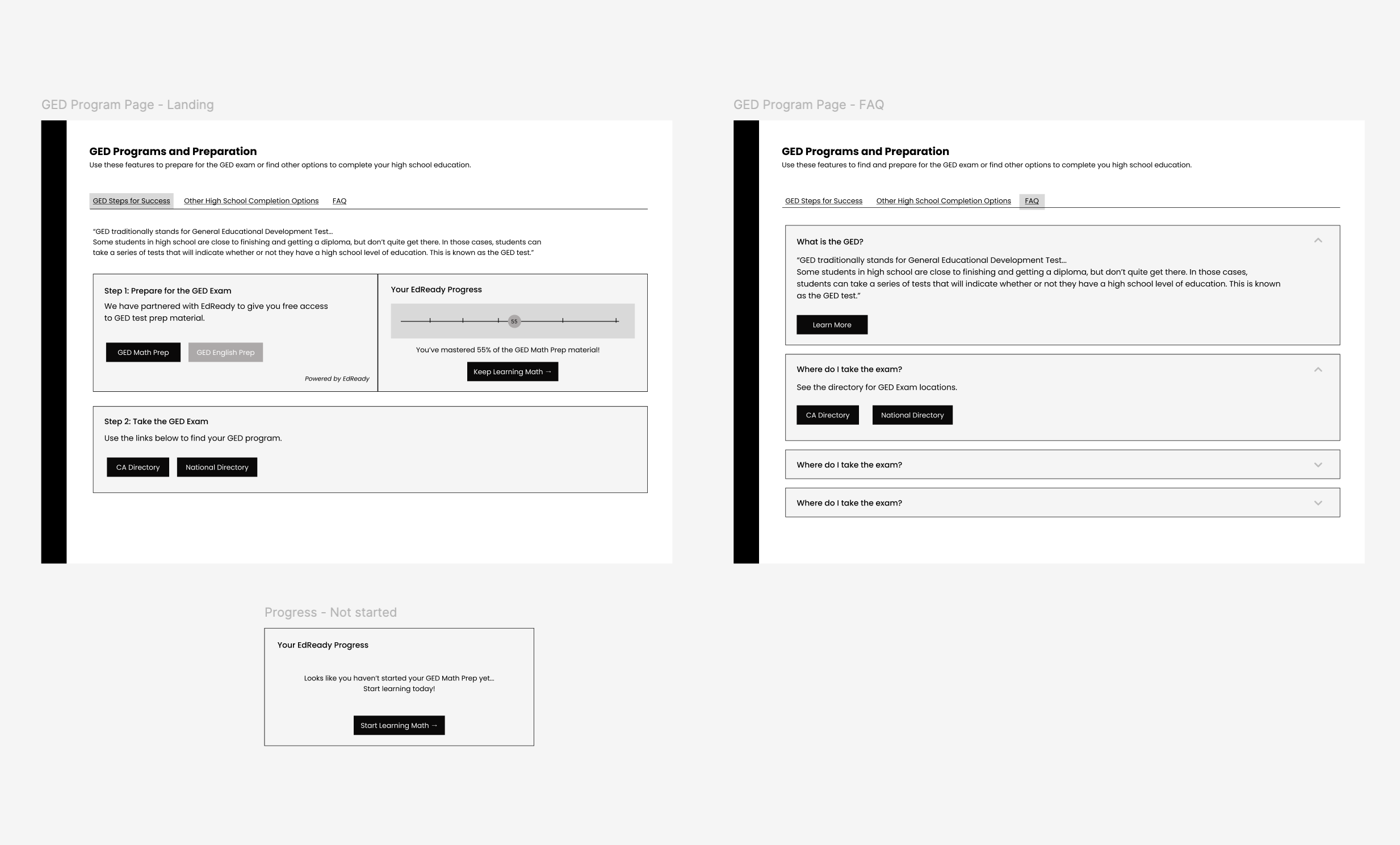
To integrate EdReady software, encourage students with motivational messaging, and provide straightforward tools for achieving a GED, I had the idea to make “GED Steps to Success” the centerpiece of the feature.
This featured clear steps toward GED completion including;
- Step 1: access to EdReady Math test prep (English available in Phase 2) and a snapshot of the user’s progress in the EdReady course that contains encouraging messaging to promote study.
- Step 2: links to GED program directories so students can plan their test when the course is complete.
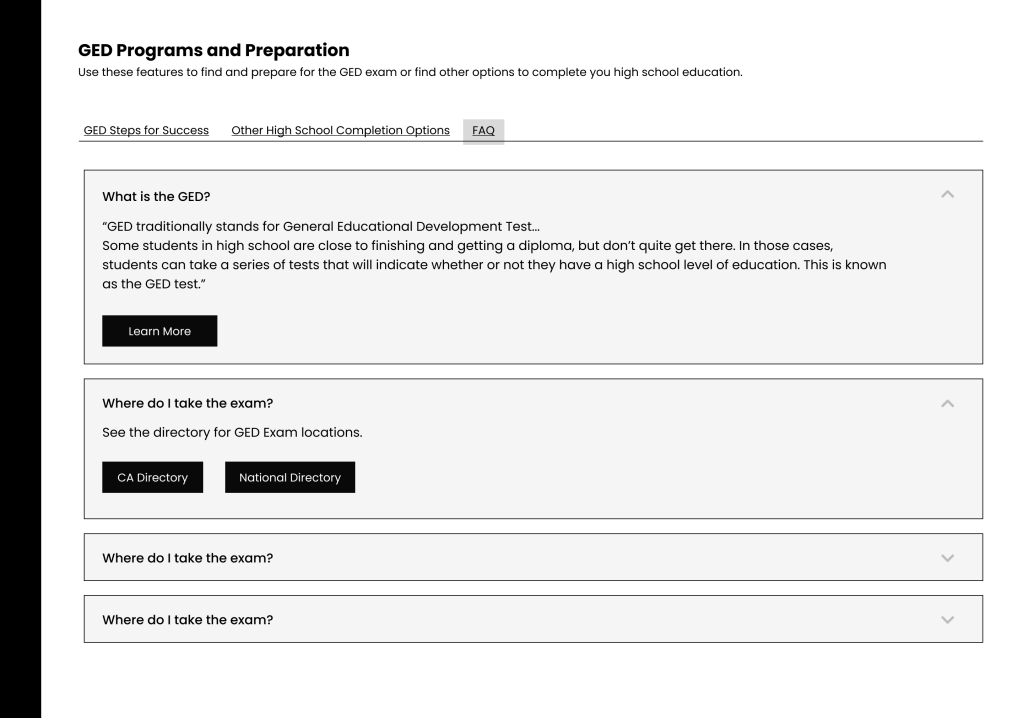
As sketches formed into wireframes, I realized students needed more than just test prep and a program locator. We also needed other options for those who won’t take the GED, and because I found myself having many questions on what a GED entails, an FAQ page for extra information that doesn’t quite fit in the step-by-step.
Getting Feedback
Working with our partner, EdReady, and prepping for a big product launch caused us to speed up design and engineering production and focus on a Minimum Viable Product.
Team Feedback
Asking questions about logistics like the EdReady login process with the engineering team, and soliciting UI design feedback from my design and product team helped the final phases come to life.
User Survey – Ongoing
Through the use of a post-test-date survey, I aim to measure success by the following metrics:
- Quantitative
- Students whose goal is to complete the GED are taking the test in a timely manner.
- Students are passing the test on their first or second try and ultimately achieving the final goal of completing a GED.
- Qualitative
- Students claim they are feeling prepared and confident for the GED due to TecoGuide and EdReady resources.

This user feedback is ongoing and will be revisited when time permits.
Final Designs
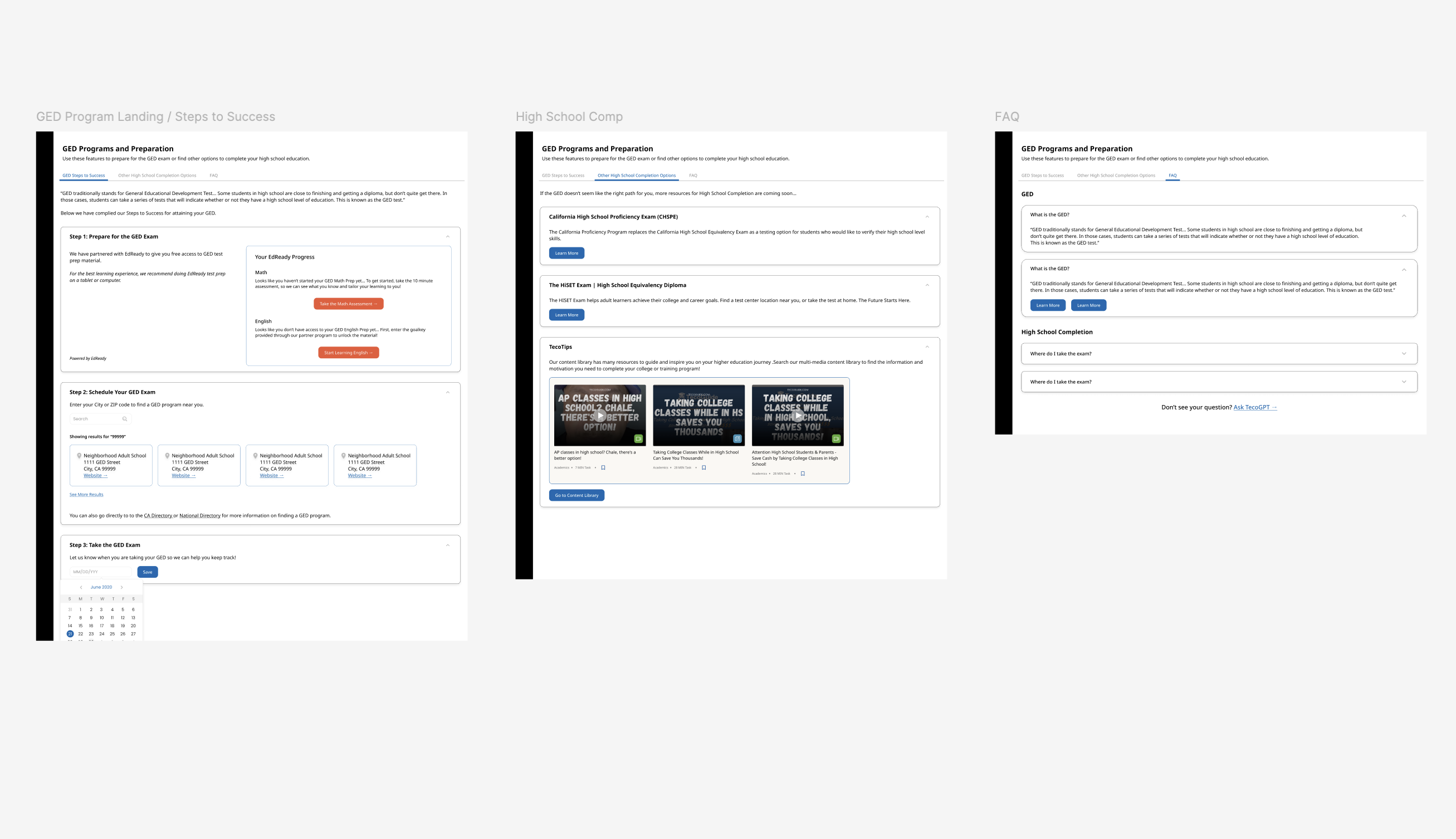
After reviewing feedback and completing a few iterations, the designs were finalized.
Final Product
As found on the TecoGuide Mobile App.
Learning Outcomes
Despite lacking testing and research resources, I believe we have launched an MVP that is empathetic to the user.
To compensate for skipped steps, I dove deeper into others. I asked more questions about the thoughts and habits of our users, did my own research about the GED as if I were a student myself, and asked for feedback from my team throughout every single step of the process. In this way, I have done my best to design a feature that not only provides helpful resources but also keeps in mind the user’s background and relationship with education.
Though I am confident in this design, I know its reception by the users may not be perfect. There will always be room for iteration and improvement. When time and budget permit, I plan to revisit the project and check in on our users to see how the feature works for them. In user testing sessions I can thoroughly understand its reception and answer all of my pending questions. Is the feature providing the necessary information? Do students feel supported? What else can we do for them?
I look forward to continuing to hear user feedback and iterate on this design. There is still so much to learn about our users and how we can best support them on their journey through higher education.
Thanks to Maggie Chan, Mauricio Gonzalez, and the design team for their guidance and feedback throughout this project.
 Nadia Corral